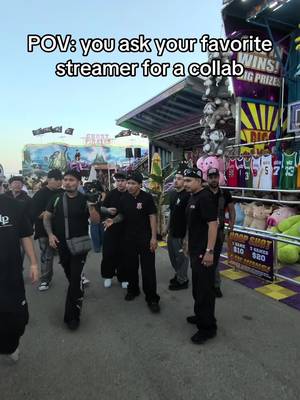
@thatsvontv12.5M views
Hook — Relatable
“POV: you ask your favorite streamer for a collab”
- Hook ends:
- 3.0s
- Scenes:
- 4
- Avg scene:
- 4.5s
- Relatable POV
- Popular streamer cameo
- Trend subversion
16.7% engagementWatch on TikTok →
By Michael, Founder, FYPNow · Updated 2026-06-28
Over half of TikTok's daily users call themselves gamers, which means your next loyal subscriber is probably scrolling the For You feed right now, not browsing Twitch categories. A single 30-second clip from last night's stream can out-reach a four-hour broadcast. The trick isn't posting more, it's turning that one viral moment into someone who shows up live the next time you go on.
The teardowns below are a snapshot. A Viral Content Agent keeps them coming: pick up to three hashtags or keywords, and FYPNow pulls the top-performing streamer videos for them on your schedule, so you open the app to what actually worked yesterday instead of scrolling for it.
A streamer Agent would track
These are the exact keywords we used to find the videos below. Swap in your own — An Agent is a name plus up to three keywords.
Viral Content Agents are included on every paid plan, from $19/mo, which starts with a 7-day free trial. Cancel any time before it ends and you are not charged.
We ran these streamer videos through FYPNow's AI analysis. This is the same breakdown you get for your own videos — the hook, the pacing, and what made each one work.
Hook — Relatable
“POV: you ask your favorite streamer for a collab”
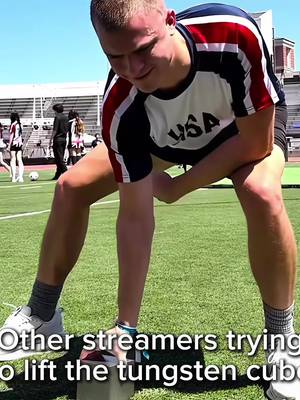
Hook — Relatable
“Other streamers trying to lift the tungsten cube”
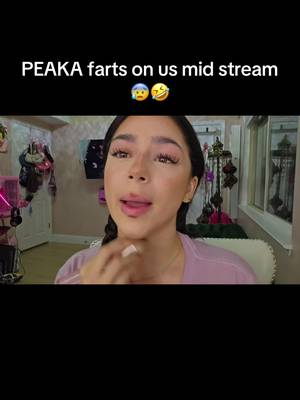
Hook — Shock
“PEAKA farts on us mid stream”
Analyzed 2026-08-13. Metrics reflect the videos at the time of analysis.
FYPNow shows you which clips actually move the needle for your channel, not just which ones got views. It tracks profile visits and follower spikes per video, so you can tell the clutch clip that sent 200 people to your Twitch from the funny one that got 50,000 views and zero follows. Clip smarter, stream to a bigger room.
Paste a streamer video or a creator profile. Analysis runs on a 7-day free trial from $19/mo. See plans. Cancel before it ends and you are not charged.
Posting the same clips to YouTube Shorts? Paste a Shorts link instead and get the same hook-by-hook breakdown. YouTube Shorts analysis · TikTok vs Shorts
A horizontal Twitch clip dropped straight onto TikTok wastes two thirds of the screen. Reframe to vertical so the action and your facecam stay centered. Tools like StreamLadder or Crossclip do the crop and add captions in one pass.
Open on the payoff, the clutch shot, the rage moment, the punchline, then let context follow. Add an on-screen line of text up top so a non-gamer understands what they're watching without knowing the game.
Skip generic tags. Use #TwitchClips, #StreamerLife, #GamingContent, and the game's own tag (like #Valorant or #Fortnite) alongside #fyp. Stick to 4 to 5 per post so the algorithm reads your niche clearly.
Reaction and fail clips perform best when you marry them to a sound that's already trending. The sound gets you reach, the moment gets you the follow. Check the Creative Center for what's rising in gaming before you post.
Once you hit 1,000 followers you can stream live on TikTok itself. Run a short mobile session or multi-stream to TikTok and Twitch at once with Restream or Streamlabs, then funnel that audience back to your main platform.
Every clip should answer 'where do I watch more?' Name your Twitch handle and your stream days in the caption and bio. A clip without a destination is just entertainment for someone else's algorithm.
Posting unedited VODs or horizontal clips that look tiny and lifeless on a vertical phone screen.
No on-screen context, so anyone who doesn't play the game scrolls past before the moment lands.
Treating the account as a pure ad channel instead of mixing in personality and off-stream content.
Leaving your Twitch handle and stream schedule out of the bio and captions, so viral views never convert to live viewers.
Stuffing 15 hashtags onto every post, which blurs your niche. Four to five targeted tags work better.
Ignoring TikTok LIVE entirely once eligible, missing a native discovery surface that other streamers skip.
A clip that gets shared lands in group chats full of gamers, the exact people who might follow you to a live stream.
This is your real conversion signal. It counts the viewers curious enough to check your bio for the Twitch link, and FYPNow tracks it per video so you can see which clips actually drive traffic.
High completion tells the algorithm your hook works and earns the clip more reach, which is what feeds new viewers into your channel.
Tie spikes in follows to specific clips so you know which stream moments are worth clipping again.
Use the Engagement Rate Calculator to benchmark your performance.
See which stream clips actually drive profile visits and follows, so you clip more of what converts viewers into Twitch subs and less of what just gets passing views.
Build a tight set of gaming and streamer hashtags around your game and clip type.
Find when your gaming audience is scrolling so clips land before they go to sleep or log on to play.
Put your Twitch handle and stream days in both your bio and your captions, and clip moments that show your personality, not just gameplay. Profile visits are the metric to watch, since that's the step before someone follows you live.
Clutch plays, genuine fails, and big emotional reactions get the most engagement. The clip has to make sense to someone who's never seen the game, so add a line of on-screen text to set up the moment fast.
Use #TwitchClips, #StreamerLife, and #GamingContent with your game's specific tag like #Valorant or #LeagueOfLegends, plus #fyp. Keep it to 4 or 5 so the algorithm understands your niche instead of guessing.
Once a day at minimum, ideally 2 to 3 times. One stream session should give you several clips you can space out over the following days, so you're never starting from a blank slate.
No. You can grow with clips from day one. But hitting 1,000 followers unlocks a clickable bio link and the ability to go live on TikTok, which adds a second discovery surface most streamers ignore.
No. Twitch clips are horizontal and TikTok is vertical, so reframe to 9:16 and add captions first. A tool like StreamLadder or Crossclip handles the crop and text in one step.
Everything above is the playbook. FYPNow is the feedback loop: point a Viral Content Agent at the streamer niche and get the top-performing videos, broken down hook by hook, on the schedule you pick.
From $19/mo after the trial. Cancel any time before it ends and you are not charged.
Works inside Claude
FYPNow runs an MCP server, so Claude can browse niches, tear down a video’s hook and scene timings, check creator breakouts and draft scripts — calling the real data instead of guessing. No API key: you approve the connection in a browser and pick which workspace it acts on. Included on every paid plan.