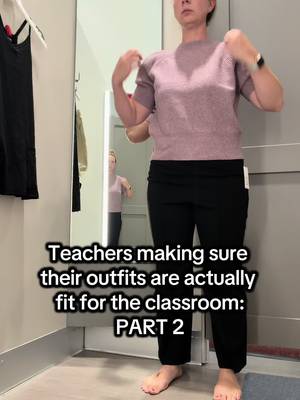
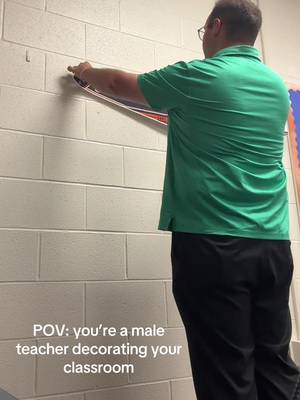
How to Grow on TikTok as a Teacher
By Michael, Founder, FYPNow · Updated 2026-06-28
#TeachTok has pulled in billions of views, and it stopped being just a hashtag a while ago: it's now the name educators use for their whole corner of TikTok. That's the opening. A single classroom hack or 45-second grammar trick can reach more teachers in a day than you'll meet in a career. But views only matter if they turn into saved resources, a bigger following, or income from what you already know. Here's what actually works for teachers on TikTok in 2026: the content formats, the #TeachTok and #teachersoftiktok hashtags that surface your videos, the metrics worth tracking, and the student-privacy line you can't cross.
Content Strategy for Teachers
Quick Classroom Hacks and Teacher Tips
Show one organization trick, grading shortcut, or behavior-management move per video. These earn the highest save rates in the niche because educators bookmark them for the school year. Post under #TeacherLifeHacks and #TeacherTipsAndTricks so they reach teachers actively hunting for ideas.
Subject and Grade-Specific Explainers
Teach one concept in under 60 seconds: a spelling rule, a math trick, a science demo. Tag by your exact niche (#tiktokmath, #scienceofreading, #ELAclass, #kindergartenteachers, #elementaryteacher) so the algorithm shows it to the right educators and parents instead of a random feed.
Relatable Classroom Humor
Confiscated items, Sunday-night dread, the things kids say. Humor is the engine of #TeacherHumor and #teachersoftiktok, and it's what makes colleagues share your video into their group chats. Mix this in with your tips so your account is entertaining, not just useful.
Day-in-the-Life and Behind-the-Scenes
Walk through your morning routine, classroom setup, or a Dollar Tree haul for decor. This builds community with fellow educators and humanizes you, which matters when you later sell resources or land a brand deal.
Pick a 60/40 Evergreen and Trending Mix
Define three or four content pillars (say: hacks, a subject you teach, humor, and real teacher life) and aim for roughly 60% evergreen tips and 40% trending sounds or formats. Evergreen keeps you stable, trends drive the growth spikes. Anchor every post with #TeachTok, #edutok, and #teacherlife.
Common TikTok Mistakes Teachers Make
Showing identifiable students without written consent, or filming in ways that violate FERPA and your district's social media policy. Check your handbook before you post, and blur faces when in doubt.
Naming your school or wearing a visible school logo, which erases the boundary between your account and your employer.
Venting about students, parents, or administration in a way that could reach your district and put your job at risk.
Only making content for other teachers and ignoring the parents and students who'd actually buy your resources or follow your subject.
Posting in bursts during summer, then going quiet, instead of staying consistent so the algorithm keeps you in rotation.
Sitting on years of expertise without turning it into sellable lesson plans, printables, or a Teachers Pay Teachers shop.
Key Metrics Teachers Should Track
Save Rate
The strongest signal for teacher content. Educators save hacks and printables to use later, and high saves tell TikTok to resurface the video. FYPNow scores save rate on every video so you can see which tips actually land.
Share Count
Teachers send useful clips straight to colleagues and group chats, so shares drive most of the organic growth inside educator communities.
Watch Time
Strong watch time on a 45-second explainer tells the algorithm your teaching style holds attention, which is exactly what gets you pushed past your existing followers.
Follower Growth Rate
Steady growth confirms your content is reaching beyond your school and building the audience you'll later monetize.
Use the Engagement Rate Calculator to benchmark your performance.
Best Tools for Teachers
FYPNow Analytics
See which classroom hacks hook viewers in the first 3 seconds and which get saved and shared. AI analysis on every video you post, so you can repeat what works.
Hashtag Generator
Find the right mix of #TeachTok community tags and your subject or grade-level hashtags for each video.
Best Time to Post
Find when teachers and parents are actually scrolling, usually evenings and Sunday nights.
Related Guides
Analyze 10 Teacher Videos Free
FYPNow shows teachers exactly why a classroom hack took off: save rate, how long viewers stuck around, and the patterns your best videos share. That turns the occasional lucky post into a repeatable system, so you grow your following and the audience that buys your resources.
Prefer to explore first? Create a free account
Frequently Asked Questions
What teacher content gets the most views on TikTok?
Quick classroom hacks, subject explainers like math tricks and science demos, and relatable teacher humor perform best. Hacks and printables earn the most saves, while humor earns the most shares between colleagues.
What hashtags should teachers use on TikTok?
Start with the community tags: #TeachTok, #teachersoftiktok, #edutok, and #teacherlife. Then add hashtags specific to your grade or subject, like #kindergartenteachers, #tiktokmath, or #scienceofreading, so the right educators and parents find you.
Can teachers make money on TikTok?
Yes. Most teachers monetize by selling digital resources like lesson plans and printables on Teachers Pay Teachers, through brand partnerships with education companies, and via TikTok's Creator Rewards Program once they qualify.
Is it safe for teachers to be on TikTok?
Yes, with precautions. Never show students without written consent, don't name your school, blur faces when needed, and follow FERPA and your district's social media policy. Keep your professional content separate from anything personal.
How often should teachers post on TikTok?
Aim for at least three to five times a week, scaling toward daily as filming gets faster. Consistency matters more than perfection, and a 60/40 split of evergreen tips to trending formats keeps you both stable and growing.
Should I make content for teachers, parents, or students?
Pick a primary audience, but don't ignore the others. Teacher-to-teacher hacks build community and shares, while parent and student-facing explainers widen your reach and open up resource sales.