The Niches wall
A rolling library of the top-performing TikToks and YouTube Shorts in the curated global niches — no tracked creators, no setup, unmetered on every plan.
Most of fypnow answers "why did this video work?" The Niches wall answers the question that comes before it: "what should I make next?" It's the Niches tab under Viral Trends, and it needs nothing from you — no creator to track, no account to connect.
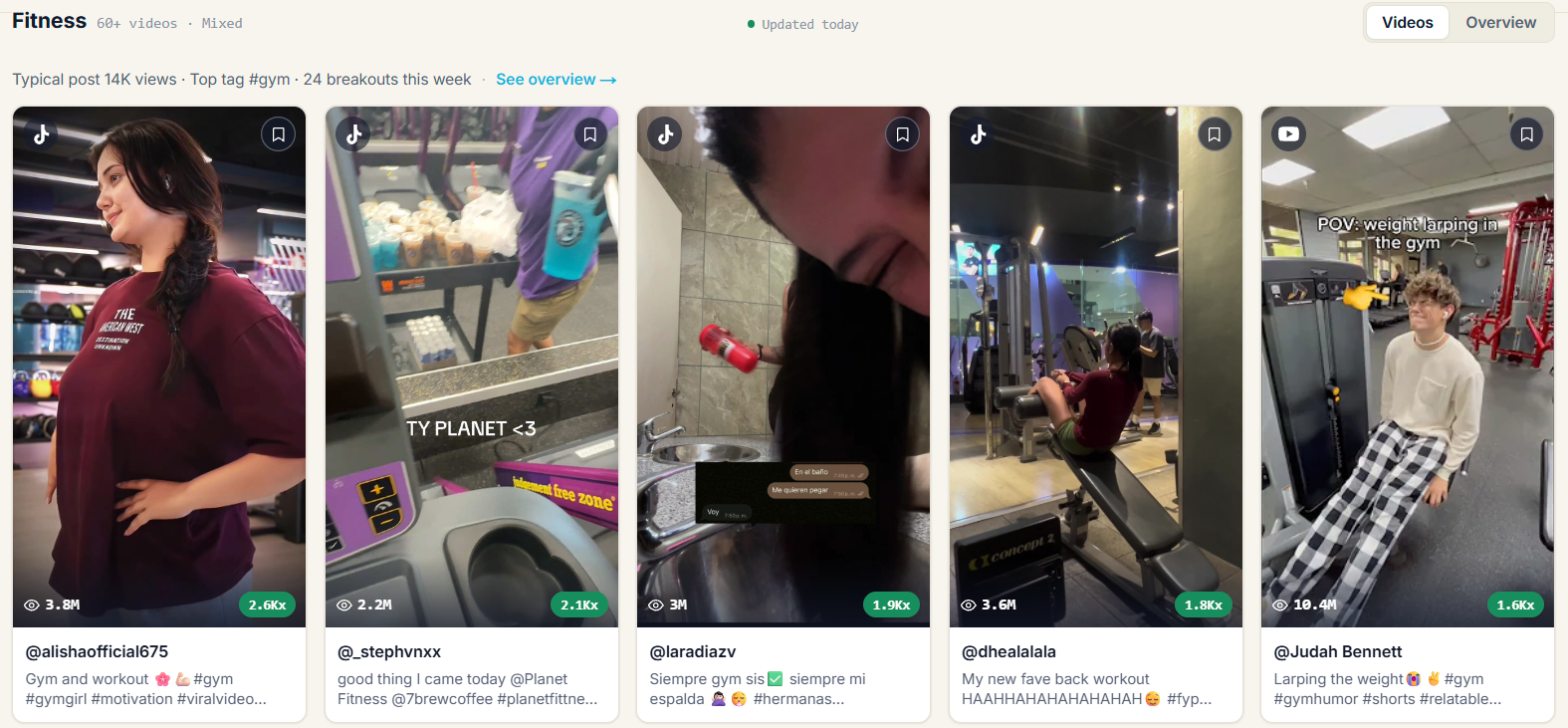
What you're looking at
We maintain a set of curated global niches — Fitness, Finance, Reddit Stories, Would You Rather, Food, Gaming and more. Every night we search TikTok for each niche's keywords, keep the best-performing videos of the last 7 days, and add them to that niche's shelf.
The same keywords are searched on YouTube Shorts, so viral Shorts sit on the same shelf as TikToks, ranked the same way: views against the creator's followers or subscribers. Use the TikTok / Shorts / Mixed filter to see one platform or both; every card carries a platform badge. YouTube's search has no one-week filter, so a Short on the wall can be older than a week — the Recent sort is the quickest way to find new ones.
Pick a niche from the chip row, then choose how to view it:
- Most viral — videos ranked by views against the creator's follower count, so a small account's breakout outranks a big account's ordinary post.
- Most liked — the highest-performing videos in that niche. A 🔥 marks the top three.
- Recent — newest first, for spotting something on the way up rather than something that already peaked.
- Library — your own saved videos, across every niche. See Your library.
Trending in this niche
Above the videos, a Trending in strip shows the trends detected in that niche: several creators posting about the same specific thing within a few days. They are found automatically once a day, so there is nothing to search for. Open one to see its status and its videos, or use All trends for every niche at once under Viral Trends → Trends. See Trends.
Only videos that fit the niche
Keyword search pulls in noise: a video tagged #hiddengems can be a film clip, a nail-polish hack or a spam account reposting the same template. Every new video is checked by an AI relevance model, using its cover, caption, hashtags and creator, before it can appear. Videos that aren't about the niche, or that look like spam or unsafe content, are hidden from the wall, its stats, reports and alerts.
New videos only show up once they've passed that check, usually within a minute of being found. Nothing is deleted: a hidden video simply doesn't surface.
Formats and estimated labels
Through the API and MCP server, each niche video can carry a content format: talking head, voiceover over b-roll, slideshow, text on screen, skit, tutorial, POV, vlog, compilation or other. It comes from one of two places. A video that has had a full AI analysis gets its format from that analysis (content_format_source: "analysis"). Every other video can get an estimate ("estimated"), which is a quick guess made from the caption, hashtags and cover image only. The video itself is not watched, so an estimate can be wrong.
We only show an estimated format once we have checked that value against full analyses and found it agrees often enough; until then those videos have no format rather than a doubtful one. get_niche_stats adds a format_mix showing how many of a niche's recent videos, and how many of its breakouts (3x their creator's followers or more), use each format, and get_niche_videos can filter by content_format. A format describes how a video is made; it does not by itself explain why the video worked.
Turning a video into your next post
Browsing is where discovery stops being useful. Click any video for its detail view, then take one of two actions:
- Why it went viral — runs the full fypnow breakdown on that video: hook, pacing, scene timing, virality factors. Same analysis as any video you own, on TikToks and Shorts alike.
- Generate a script like this — analyzes it, then opens the recreate flow so you can build your own version of the formula.
When the curated niches aren't your corner of TikTok
The curated niches are the same for everyone, which means they can't tell you what's working in your specific lane. That's what Viral Content Agents are for — your own keywords, refreshed alongside the globals.